Connect with ChatGPT#
Add Karla to ChatGPT as an app (MCP server) and query your shop's data in natural language. Custom MCP servers are added through ChatGPT's developer mode.
Before you start
You need a Karla account that has been invited to at least one shop. If you can't sign in, ask an admin on your shop to invite you from the portal first. See the MCP overview for how access works.
1. Enable developer mode#
In ChatGPT, go to Settings → Apps and turn on Developer mode. This is what lets you add your own MCP servers as apps.
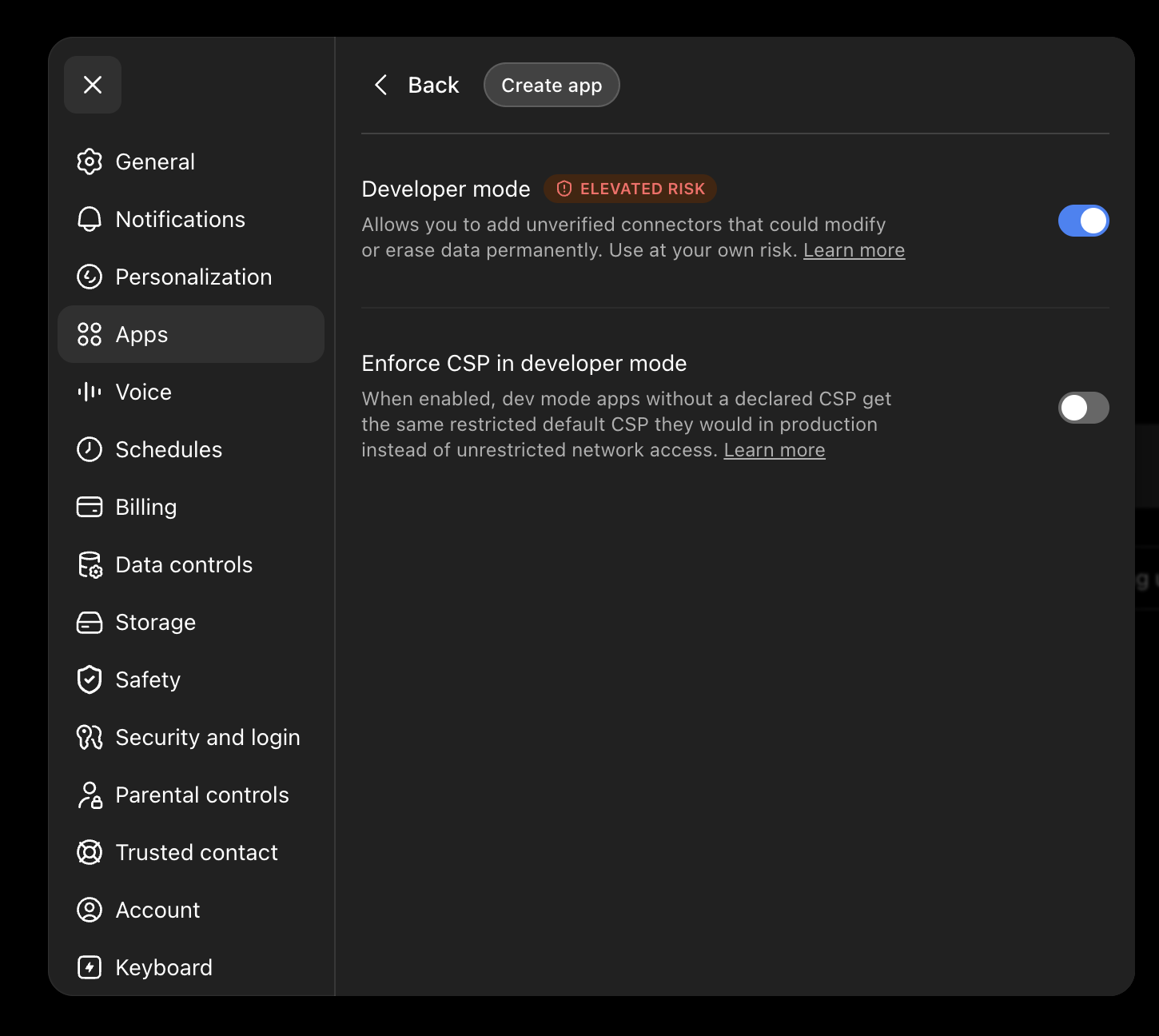
Add only servers you trust
Developer mode lets you connect unverified MCP servers. Only add servers you
trust — https://mcp.gokarla.io/mcp is Karla's official, read-only server.
2. Create the Karla app#
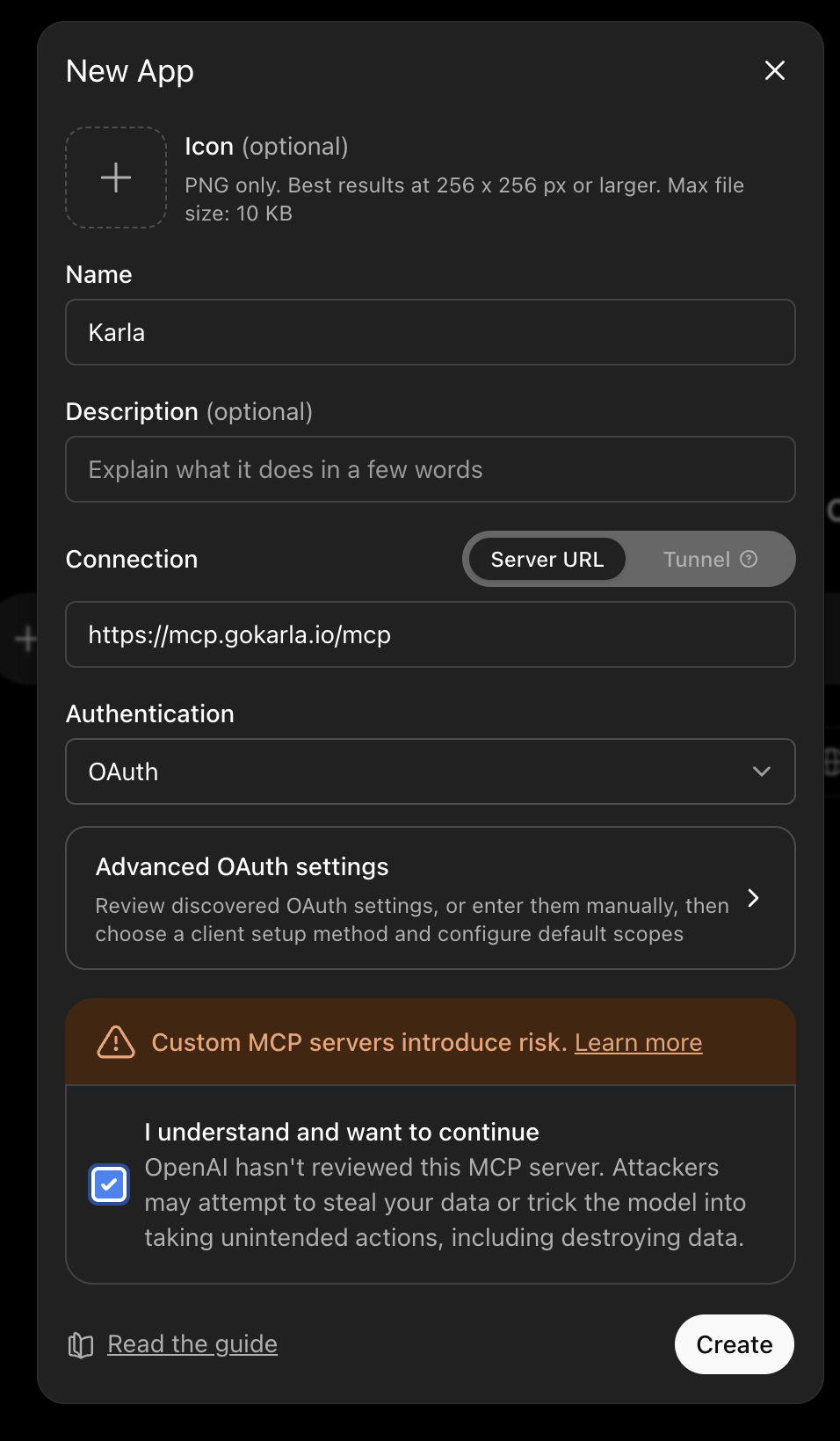
Create a new app and fill in the details:
-
Name —
Karla -
Connection — choose Server URL and paste:
https://mcp.gokarla.io/mcp -
Authentication — select OAuth.
Acknowledge the risk notice and click Create.
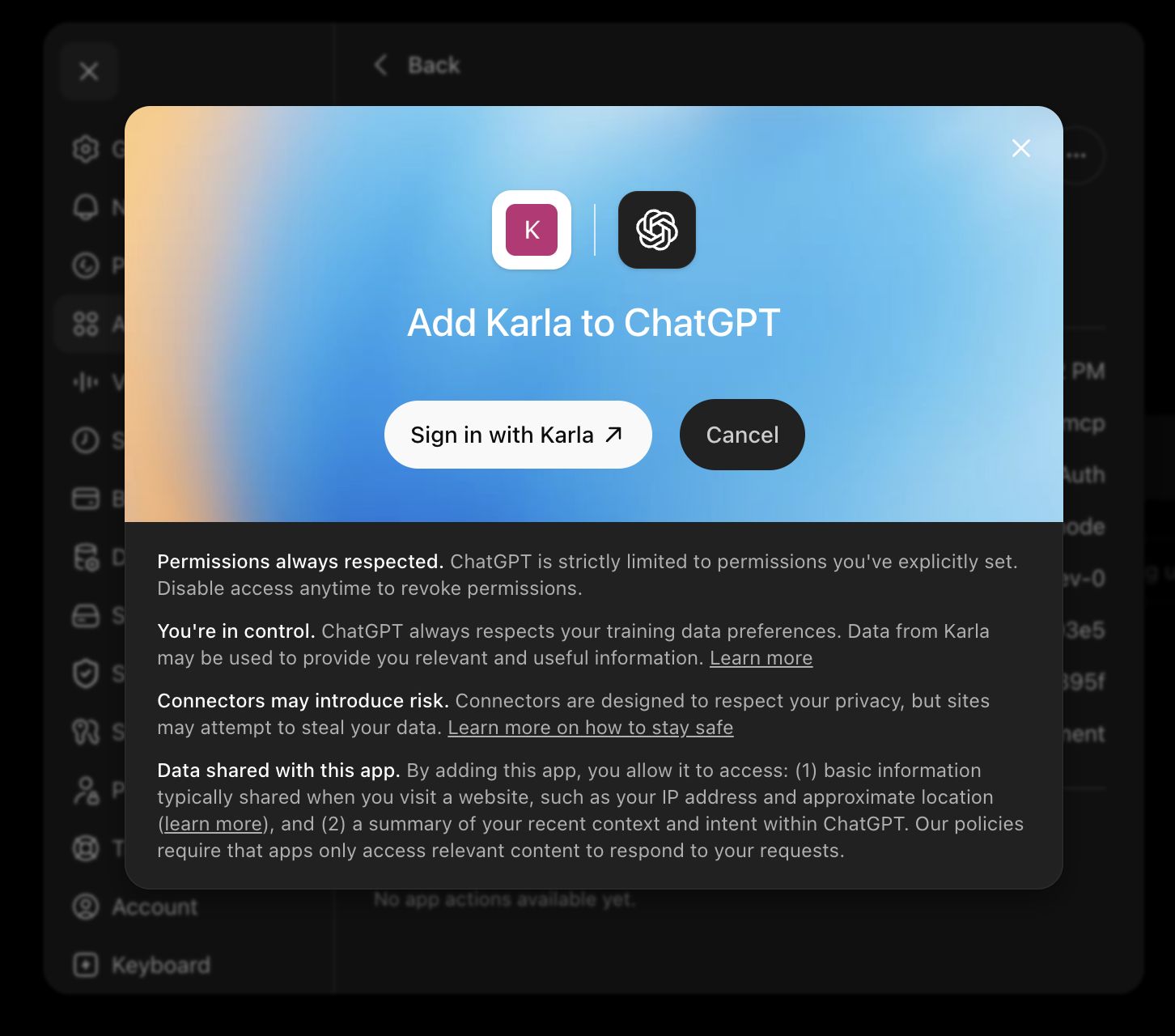
3. Sign in with Karla#
ChatGPT opens the Karla authorization screen. Click Sign in with Karla, sign in with Google or Microsoft, and approve the connection. The consent screen tells you exactly what Karla will share — read-only business data for the shops you're authorized for, with customer contact details masked.
4. Start querying#
You're ready. Start by discovering your access, then ask away:
"What shops can I access?"
"Show me orders from the last 7 days."
"Which shipments are still in transit?"
See the MCP overview for the full list of tools and more example prompts.
Other MCP clients
The same server URL — https://mcp.gokarla.io/mcp — works with any
MCP-capable client. Add it as a remote (streamable-HTTP) MCP server in that
client's configuration and complete the Karla sign-in when prompted.
Disconnecting#
To revoke access, remove the Karla app from Settings → Apps. You can add it again any time by signing in with Karla.